
PTA Warns Pakistanis Against Online Scams
October 21, 2026
The internet is full of things we’ve learned to put up with
AI agents are changing how we use the internet, which is interesting when you consider how much of the internet is still a pain to use. Try booking a flight online. You start by comparing prices, checking dates and looking for a decent deal, then somehow end up fighting cookie banners, dodging pop-ups and trying to work out whether your baggage allowance includes an actual suitcase. By the time you reach checkout, you’ve clicked through six pages and developed a personal grudge against the website. Most of us get through it because we’ve spent years learning its quirks, from recognising suspicious buttons to knowing when a page is taking too long to load.
Michael Zats; Medium
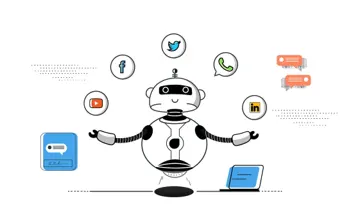
Now imagine handing that job to an AI agent. It needs to compare flights, understand baggage rules, select the right dates and make sure you haven’t accidentally booked a seventeen-hour layover. Every step depends on the website behaving as expected, and plenty of websites have other ideas. A layout changes, a pop-up covers the button, or a session expires just as the agent is about to finish. Humans can often work around these problems using experience and context, while an agent has to interpret the information available to it and figure out what to do next. The challenge is bigger than teaching software where to click; it’s teaching software to navigate an internet that wasn’t designed with it in mind.
That button makes sense to you. The machine has to figure it out.
When you open a website, you can usually spot the search bar, menu, product images and buttons without giving them much thought. Underneath that familiar interface sits a technical structure that helps determine how the page works. One important part is the Document Object Model, or DOM, which represents a webpage as elements that software can inspect and interact with. Depending on how an AI agent operates, it may use the DOM, accessibility information, browser automation tools or screenshots interpreted by a vision model to understand what’s on screen.

Kumar Shridhar; Medium
Each approach has its own complications. An agent using the DOM might find a button through its text or attributes, while a screenshot-based agent has to recognise it visually and work out where to click. A clearly labelled “Add to cart” button is easy enough to understand, but an unlabeled shopping-bag icon surrounded by three similar icons leaves much more room for confusion, particularly when the layout shifts as the page loads. People make sense of these details using familiar patterns and context, often without realising they’re doing it. Software has to work from the signals it can access, and those signals aren’t always very informative.
This is where thoughtful web design makes a real difference. Semantic HTML, descriptive button labels and accessible interface elements give software useful information about what things are and what they do. They also help people who rely on screen readers or other assistive technologies, so the benefits extend well beyond AI agents. A button might look perfectly obvious to a person while giving an automated system little indication of its purpose. As agents take on more complicated tasks, these details can be the difference between a smooth interaction and a very expensive misclick.
The real nightmare is a click that might not have worked
Picture an AI agent shopping for headphones. It finds the right pair, chooses a colour, clicks “Add to cart” and waits, but nothing seems to happen. Perhaps the website is still processing the request, a script has failed, or the item has already been added and the page simply hasn’t updated. Before doing anything else, the agent needs to figure out whether its click actually worked.
Clicking again might add a second pair, while assuming everything went smoothly could send it to checkout with an empty cart. This is one reason reliable browser automation is harder than those slick product demos make it look. Websites load content asynchronously, update sections without refreshing the whole page, display overlays and expire sessions at inconvenient moments. A sequence of actions that works perfectly in one test can fail the next time because a button moved or a request took longer than expected.
To handle this, an agent needs to check the result of its actions and adjust when necessary, a process known as closed-loop interaction. After clicking “Add to cart,” it could check whether the cart count changed or a confirmation message appeared before moving on. If the result is still unclear, it should inspect the page again rather than blindly continuing. That feedback loop matters because successful automation depends on what actually happened, not what the system expected to happen.

Josipa Majic Predin; Forbes
The consequences become more serious when payments or personal information are involved. Accidentally adding two pairs of headphones is annoying; submitting the same payment twice is a much bigger problem. A reliable agent needs to recognise uncertainty, understand when retrying could have consequences and know when to pause for human help. The click itself is only part of the job. The agent also needs to know what happened afterward and whether it’s safe to try again.
What happens when websites start designing for bots?
The internet has spent years competing for our attention, with notifications, countdown timers, product recommendations and buttons designed to encourage particular choices. Some features are genuinely useful, while others make simple tasks exhausting. Anyone who has tried to cancel a subscription and somehow ended up on a guided tour of increasingly desperate retention offers knows exactly what this feels like. You came to cancel. The website would really prefer you didn’t.
An AI agent may recognise a countdown timer, but its emotional pressure matters only if that information affects the task or the agent’s decisions. As more people use agents to compare products, book travel and manage online errands, businesses may start thinking about how their websites work for software as well as people. Some could provide application programming interfaces, or APIs, that allow authorised agents to retrieve information and complete supported actions through structured requests. Others may restrict automated access because of fraud risks, security concerns or a desire to control how their services are used.
Fortunately, many of the things that help AI agents are already signs of good web development. Clear labels, predictable navigation, accessible controls, structured product information and useful error messages make websites easier for people to use, too. Businesses may eventually offer several ways to access the same service, from a conventional visual website to a structured interface built for authorised software. An agent could browse a webpage for one task, use an API for another and ask the user to confirm a purchase before committing. The familiar website isn’t going anywhere overnight, but the technology working behind it may start to look quite different.
If an AI agent clicks for you, who takes responsibility?
Imagine asking an AI agent to compare phone plans, find the cheapest option that suits your needs and complete the purchase. Everything seems straightforward until it overlooks an extra fee, misunderstands the contract or signs you up for a plan you never wanted. Suddenly, the ten minutes you hoped to save have turned into an afternoon spent contacting customer support. Who is responsible when something goes wrong: the person who gave the instruction, the company that built the agent or the business whose website it used? The answer depends on the circumstances, including the permissions granted and the safeguards in place.
Stuart Heritage; The Guardian
These questions matter even more when agents handle payments, personal accounts or sensitive information. An agent might reasonably research options and fill in forms on its own, while asking the user to approve a purchase or agree to a binding contract. It should also be honest about uncertainty instead of reporting success when it cannot verify that a task is complete. Businesses need to consider how agents are authenticated, how customer data is protected and what happens when an automated system makes a mistake. Giving software more freedom also means being clear about its limits.
We’ve spent years learning to navigate confusing menus, endless forms and websites that log us out at the worst possible moment. Now AI agents need to navigate those same systems while making decisions that can affect our money, time and personal information. Developers will have to pay closer attention to how interfaces communicate, how actions are verified and when software should leave the final decision to a person. The next big change to the internet may happen without a flashy new platform or another app to download. It might simply be the moment when we hand over the tedious parts of being online, expecting an agent to get the job done, recover when something breaks and know when it’s time to ask us what to do next.