

$60M IFC Facility Boosts Pakistan’s Agriculture
December 19, 2025
ECC Injects Rs200 Billion Into Pakistan DISCOs
December 20, 2025
So you just got that sinking feeling when someone mentioned you might have a traffic challan waiting for you. Welcome to the digital age of traffic violations in Pakistan, where your traffic sins follow you home via SMS. Gone are the days when you could sweet-talk your way out of a traffic ticket. Now it’s all automated, tracked, and honestly, pretty efficient.
If you’re wondering how to do an e-challan check or pay that fine before it comes back to haunt you during vehicle registration, you’re in the right place. This guide breaks down everything you need to know about checking and paying traffic e-challans across Pakistan, whether you’re in Lahore, Islamabad, Karachi, or cruising on the motorway.
Read more: How to buy stocks in Pakistan in 2025 (PSX for beginners)
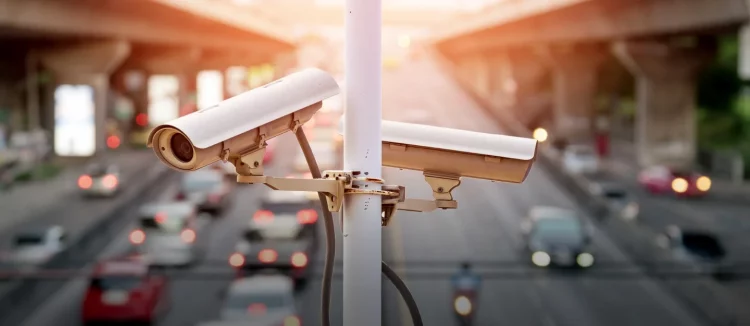
Image source: Unsplash
What is traffic e-challan in Pakistan?
Think of an e-challan as a digital traffic ticket that gets issued automatically when you break a traffic rule caught on camera. No dramatic police chase required. The system photographs your violation, records your vehicle number, and boom, you’ve got a challan linked to your registration.
It’s basically the government’s way of saying, “We saw what you did there, and we have receipts.”
How the e-challan system works
The e-challan system uses CCTV cameras installed at major intersections and highways to monitor traffic. When you jump a red light, overspeed, or commit any other violation, the cameras capture your vehicle’s registration number. The system then generates an electronic challan that gets linked to your vehicle registration and CNIC.
You typically receive an SMS notification about the violation, though let’s be real, sometimes those notifications decide to show up fashionably late or not at all. The challan includes details like the violation type, fine amount, date, time, and location where you committed the offense.
Cities covered by e-challan system
The e-challan system isn’t everywhere yet, but it’s expanding. Currently, major cities and routes covered include:
Punjab cities like Lahore, Rawalpindi, Multan, and Faisalabad fall under the PSCA (Punjab Safe Cities Authority) system. Islamabad has its own setup through Islamabad Traffic Police. Karachi operates under the Karachi Safe City Project. The National Highways and Motorway Police monitor major highways and motorways across Pakistan.
Smaller cities are gradually joining the party, so even if your city isn’t fully covered now, it probably will be soon.
How to check traffic e-challan online
Checking your e-challan status online is pretty straightforward. You’ve got multiple options depending on what information you have handy.
Check e-challan by vehicle number
Your vehicle registration number is the most common way to check for pending challans. Most provincial traffic police websites have a search function where you enter your registration number in the format like “ABC-1234” or “LEA-123” depending on your city’s registration pattern.
The system pulls up all challans associated with that vehicle number. Simple and direct.
Check e-challan by CNIC
Some portals allow you to check using your CNIC number without entering the vehicle registration. This is particularly useful if you own multiple vehicles or can’t remember your registration number (we’ve all been there).
Enter your 13-digit CNIC without dashes, and the system displays all vehicles registered under your name along with any pending challans.
Check e-challan using PSID number
The PSID (Payment Slip ID) is a unique identification number assigned to each challan. If you’ve received an SMS notification about your challan, it usually includes this PSID number. You can use it to directly search for that specific challan and view its details or make a payment.
Think of it as your challan’s social security number.
Step-by-step guide: Check traffic e-challan in Punjab (PSCA)
Punjab has one of the most developed e-challan systems in Pakistan, managed by PSCA. Here’s how to check your challans if you’re in Punjab.
Visit PSCA e-challan portal
Open your browser and head to the PSCA e-challan website. The portal has a clean interface that’s surprisingly user-friendly for a government website. Look for the section that says “E-Challan Verification” or something similar.
You’ll see options to search by different criteria. The homepage usually displays recent statistics about total challans issued, which is both fascinating and mildly terrifying.
Enter vehicle registration and CNIC
Select your search method. If you’re going with vehicle registration, enter it exactly as it appears on your documents. Then enter your CNIC number without any dashes or spaces.
Hit the search or verify button. The system might ask you to complete a CAPTCHA because robots shouldn’t be checking traffic challans, apparently.
View challan details and violation information
Once the search completes, you’ll see a list of any pending challans against your vehicle. Each entry shows the violation type, fine amount, date and time of offense, location, and your PSID number.
Click on individual challans to see more details, including photographic evidence if available. Yes, they literally have pictures of your violation. No point in denying it now.

Image source: echallan.pk
How to check e-challan in Islamabad
Islamabad runs its own system separate from Punjab, because the capital likes to do things its way.
Islamabad Traffic Police portal guide
Visit the Islamabad Traffic Police website and navigate to the e-challan section. The interface is fairly straightforward. You’ll need to enter your vehicle registration number or CNIC to search for pending challans.
The system works similarly to PSCA but is specific to violations within Islamabad’s jurisdiction. If you got a challan in Islamabad, this is where you’ll find it.
Using ITP mobile app for challan check
Islamabad Traffic Police also has a mobile app that makes checking challans even easier. Download it from the Play Store or App Store, and you can check your challan status on the go.
The app also provides other useful features like reporting traffic issues, viewing traffic updates, and even learning about traffic rules. It’s actually pretty well-designed for a government app.
How to check e-challan in Karachi and Sindh
Karachi’s system is newer but functional. Here’s how to navigate it.
Karachi Safe City e-challan system
Karachi uses the Safe City Project infrastructure for its e-challan system. Visit the Karachi Safe City Authority website and look for the traffic challan or e-challan verification section.
Enter your vehicle details or CNIC to check for violations. The system covers areas within Karachi where CCTV cameras are installed, which is expanding but not yet citywide.
Sindh traffic police online verification
For areas outside Karachi in Sindh, check the Sindh Traffic Police website. They have a verification portal where you can check for traffic violations and pending challans.
The coverage is still growing, so smaller cities in Sindh might not be fully integrated yet.
Motorway police e-challan check
The motorway police operate independently with their own e-challan system for violations on highways and motorways. Visit the National Highways and Motorway Police website and navigate to the e-challan section.
You can check using your vehicle registration number or CNIC. Motorway challans usually involve speeding violations, as those cameras are everywhere on major highways tracking your speed between toll plazas.
Pro tip: If you’re getting a motorway challan, you probably had a lead foot. Those speed calculations don’t lie.
How to pay traffic e-challan Pakistan
Once you’ve confirmed you have a challan (and finished sighing heavily), it’s time to pay up. The good news is there are multiple payment options available.
Payment methods available
You can pay traffic e-challans through digital wallets like JazzCash and Easypaisa, mobile banking apps from major banks, the ePay Punjab portal using credit or debit cards, or offline methods like bank branches and NADRA e-Sahulat centers.
Each method has its pros and cons, but digital options are generally faster and more convenient.
Understanding PSID for e-challan payment
Before you make any payment, note down your PSID number. This is crucial because it’s how the system identifies your specific challan. You’ll need to enter this PSID when making a payment through any channel.
If you lost your PSID, you can retrieve it by doing an e-challan check using your vehicle number or CNIC as described earlier.
Pay traffic e-challan using JazzCash
JazzCash is one of the most popular methods for paying traffic fines. It’s quick, convenient, and you can do it in your pajamas.
Step-by-step JazzCash app payment process
Open your JazzCash mobile app and log in. Navigate to the payments section and look for “Bill Payment” or “Government Payments.” Select “Traffic Challan” or “E-Challan” from the list of payment categories.
Enter your PSID number when prompted. The system will fetch your challan details including the fine amount. Verify the information is correct, then confirm the payment. You’ll receive an instant confirmation SMS with a transaction ID.
Save that transaction ID. It’s your proof of payment.
Pay via JazzCash USSD code (*786#)
Don’t have the app? No problem. Dial *786# from your JazzCash registered mobile number. Follow the on-screen menu to navigate to bill payments, then select traffic challan payment.
Enter your PSID when asked, confirm the amount, and authorize the payment with your MPIN. You’ll get an SMS confirmation immediately.
JazzCash retailer payment option
If you’re not comfortable with digital payments or don’t have a smartphone, visit any JazzCash retailer. Give them your PSID number and the cash amount for the fine.
The retailer will process the payment through their system and provide you with a receipt. Keep that receipt safe.
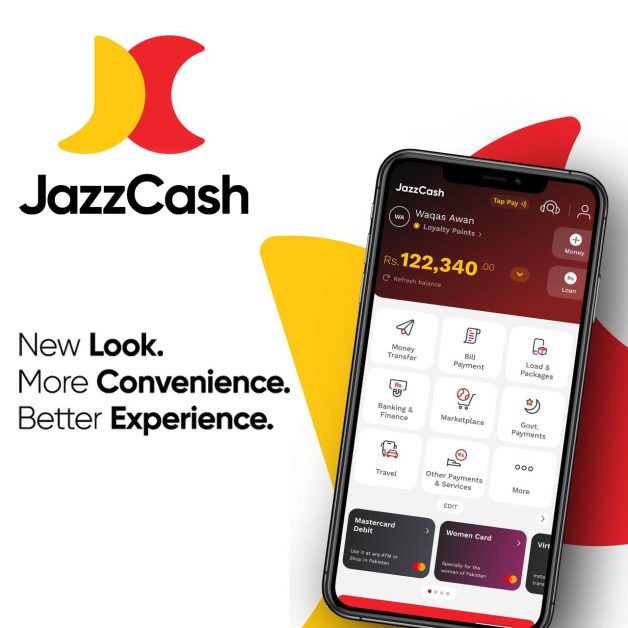
Image source: JazzCash
Pay traffic e-challan using Easypaisa
Easypaisa is another widely used option with similar convenience to JazzCash.
Easypaisa app payment guide
Launch the Easypaisa app and log into your account. Tap on the “Bill Payment” section and search for traffic challan or government payments. Select the e-challan payment option.
Input your PSID number. The app will display your challan details for verification. Confirm the payment amount and complete the transaction. You’ll receive a confirmation message with your transaction reference number.
Pay via Easypaisa USSD code (*3737#)
Dial *3737# from your Easypaisa registered number. Navigate through the menu to reach bill payments and then traffic challan. Enter your PSID number, verify the details, and complete the payment with your PIN.
The USSD method works even on basic phones, making it accessible for everyone.
Payment through Easypaisa shop
Visit any Easypaisa shop or agent with your PSID number and cash. The agent will process your challan payment and give you a printed receipt.
Make sure to verify the PSID on the receipt matches yours before leaving the shop.
Pay e-challan through mobile banking apps
Most major banks in Pakistan now support e-challan payments through their mobile apps.
HBL, UBL, and MCB online payment
If you bank with HBL, UBL, or MCB, open your mobile banking app and navigate to the bill payment or government payment section. Look for traffic challan or e-challan payment.
Enter your PSID number, verify the challan amount, and authorize the payment. The transaction is instant, and you’ll receive confirmation through the app and via SMS.
Meezan Bank e-challan payment
Meezan Bank customers can use the Meezan Mobile app for challan payments. The process is similar to other banks. Go to payments, select traffic challan, enter your PSID, and complete the transaction.
Islamic banking for your traffic violations. There’s something poetic about that.
Other banks supporting traffic challan payment
Banks like Allied Bank, Bank Alfalah, Faysal Bank, and others are gradually adding e-challan payment features to their mobile apps. Check your banking app’s bill payment section to see if traffic challan payment is available.
If not, you can always use the other methods mentioned here.
Pay e-challan through ePay Punjab portal
The ePay Punjab portal is the government’s official online payment gateway for Punjab.
Creating ePay Punjab account
Visit the ePay Punjab website and register for an account. You’ll need to provide your email address, mobile number, and create a password. Verify your email and phone number through the links and codes sent to you.
Once your account is active, log in to access the payment services.
Online payment via credit/debit card
After logging in, navigate to the traffic challan payment section. Enter your PSID number to retrieve your challan details. Select the payment method as credit or debit card.
Enter your card details including the number, expiry date, and CVV. Complete any additional authentication steps your bank requires. Once processed, download the payment receipt for your records.
Offline payment methods for traffic e-challan
Sometimes you prefer dealing with humans. Here are your offline options.
Bank of Punjab branch payment
Walk into any Bank of Punjab branch with your PSID number written down. Inform the teller you want to pay a traffic e-challan. They’ll ask for your PSID, process the payment, and give you an official receipt.
This method is reliable but involves actually leaving your house and potentially standing in line.
NADRA e-Sahulat centers
NADRA e-Sahulat centers across Pakistan offer traffic challan payment services. Visit your nearest center with your PSID number and cash. The operator will process your payment and provide a receipt.
These centers are widely available, making them a convenient option in smaller cities.
Traffic police office payment
You can also pay directly at traffic police offices. Visit the relevant office with your PSID and payment. They’ll process it through their system and issue a receipt.
This is old school but still works. Plus, you might learn some traffic safety wisdom from the officers while you’re there.
How to verify e-challan payment
After paying, you’ll want to confirm the payment was properly recorded in the system.
Checking payment status online
Return to the same portal where you checked your original challan (PSCA, ITP, etc.). Enter your vehicle number or CNIC again. If the payment processed correctly, the challan should now show as “Paid” or no longer appear in your pending challans list.
This might take a few hours to update, so don’t panic if it’s not immediate.
SMS confirmation and receipt
You should receive an SMS confirmation immediately after payment, regardless of which method you used. This SMS contains your transaction ID or payment reference number.
Screenshot this SMS or save it. It’s your primary proof that you paid.
Downloading payment proof
Most digital payment methods allow you to download or email yourself a payment receipt. Do this immediately after payment. Save the PDF to your phone, email it to yourself, or print it out.
This documentation is important if any disputes arise later about whether you paid.
Common traffic violations and fines
Curious about what’ll cost you? Here’s the breakdown of common violations and their price tags.
Signal violation penalties
Jumping a red light will typically cost you anywhere from Rs. 1,000 to Rs. 2,000 depending on the city and circumstances. It’s one of the most common violations because people seem to think yellow means “floor it” instead of “stop if safe.”
The cameras at major intersections are particularly vigilant about this one.
Speed limit violation fines
Speeding fines vary based on how much you exceeded the limit. Minor overspeeding (5-10 km/h over) might be Rs. 1,000 to Rs. 1,500. More serious violations can go up to Rs. 3,000 or more.
Motorway speeding fines tend to be higher than city violations.
Helmet and seatbelt violation charges
Not wearing a helmet on a motorcycle costs around Rs. 500 to Rs. 1,000. Seatbelt violations are similar. These fines are relatively modest, but given that they’re literally safety devices that save lives, maybe just wear them?
Your life is worth more than a thousand rupees, hopefully.
Wrong parking and lane violation fines
Parking violations range from Rs. 500 to Rs. 2,000 depending on where you parked and how much you blocked traffic. Lane violations, including using the wrong lane or improper lane changes, typically cost Rs. 1,000 to Rs. 1,500.
Using the motorcycle lane in your car? That’ll be a challan.
What happens if you don’t pay traffic e-challan?
Ignoring your e-challan isn’t a victimless crime against yourself. There are consequences.
Vehicle registration renewal issues
This is the big one. When you go to renew your vehicle registration (which you need to do annually), the system will flag any unpaid challans. You literally cannot complete the registration renewal until all pending challans are cleared.
So that Rs. 1,000 challan you’ve been ignoring? It’s going to hold your entire registration hostage.
Additional penalties and fines
Some jurisdictions add late payment fees if you don’t pay within a specified timeframe. These penalties can increase your original fine by 50% or more.
What started as Rs. 1,000 can balloon into Rs. 2,000 or Rs. 3,000 if you keep procrastinating.
Legal consequences of unpaid challans
Accumulating multiple unpaid challans can lead to legal notices and potentially even FIRs in extreme cases. Your vehicle could be impounded if stopped by police with numerous pending violations.
It’s not worth the hassle. Just pay the challan and move on with your life.
How to appeal or dispute wrong e-challan
Sometimes the system makes mistakes. Cameras aren’t perfect, and sometimes you get a challan for a violation you didn’t commit.
Filing complaint with PSCA
For Punjab challans, visit the PSCA website and look for the complaint or dispute section. You’ll need to provide your PSID number, explain why you believe the challan is incorrect, and submit any supporting evidence.
This could include proof you weren’t driving at that time, evidence the vehicle number was misread, or other relevant documentation.
Islamabad Traffic Police complaint process
ITP has a similar complaint mechanism. You can file online through their website or visit their office in person. Provide your challan details and explain your case.
They’ll review your complaint and the evidence, including checking the camera footage if necessary.
Required documents for challan dispute
When disputing a challan, gather supporting documents like your CNIC and vehicle registration, the challan details and PSID, photographic or documentary evidence supporting your case, and any witness statements if applicable.
The more evidence you have, the better your chances of successfully disputing the challan.
Troubleshooting e-challan issues
Technology isn’t perfect. Here’s how to handle common issues.
Challan not showing online
If you received an SMS about a challan but it’s not appearing online, wait 24 to 48 hours. Sometimes there’s a delay in the system updating. If it still doesn’t show, contact the relevant traffic police helpline with your PSID from the SMS.
The challan might be in their system but not yet reflected on the public portal.
Payment not reflecting in system
Made a payment but it’s still showing as unpaid? First, wait at least 24 hours for the system to update. If it’s still not cleared, contact the helpline with your payment transaction ID and PSID.
This is why keeping payment receipts is crucial. You have proof you paid even if the system is slow to acknowledge it.
Wrong vehicle number or CNIC issues
If a challan appears under your vehicle with the wrong CNIC, or you see violations for a vehicle you don’t own, file a complaint immediately. This could be a data entry error or something more serious like a fake number plate case.
Gather your vehicle documents and CNIC, and contact the traffic police to get this sorted before it affects your registration.
Conclusion
Navigating Pakistan’s e-challan system doesn’t have to be complicated. Whether you’re checking for pending violations or paying existing challans, the digital infrastructure has made the process relatively straightforward. From Punjab’s PSCA portal to Islamabad’s ITP system, and payment options ranging from JazzCash to bank branches, you’ve got plenty of choices.
The key takeaway? Don’t ignore your traffic challans. They won’t disappear, and they’ll definitely come back to haunt you when you least expect it, probably right when you’re trying to renew your registration with an expired deadline looming. Check regularly using your vehicle number or CNIC, pay promptly through your preferred method, and keep those receipts.
And maybe, just maybe, try following traffic rules in the first place. Those red lights aren’t just festive decorations, and speed limits exist for reasons beyond ruining your Need for Speed fantasies. Stay safe out there, drive responsibly, and may your e-challan checks always come back clean.